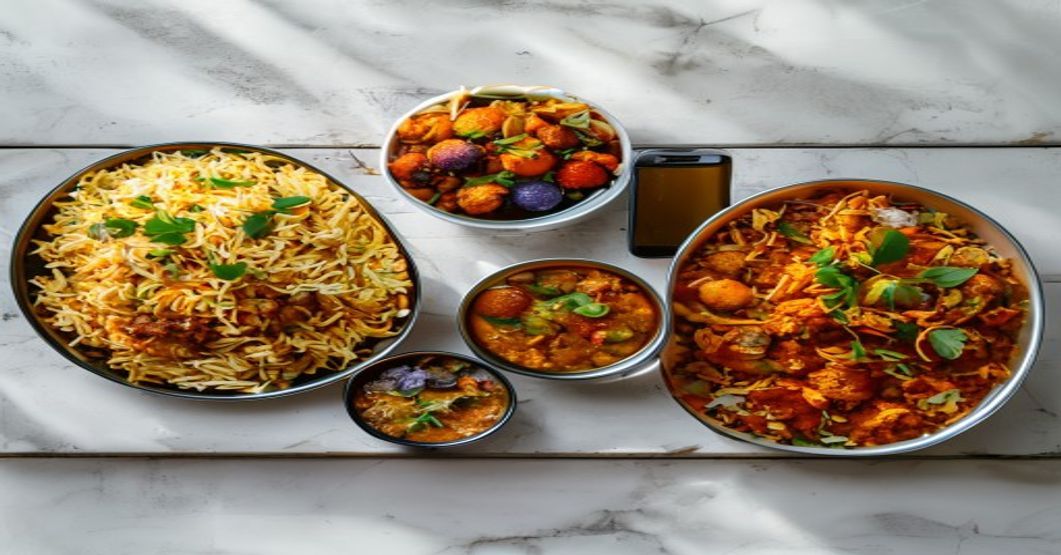
The Photo Problem That Is Costing You Real Money
A customer scrolling Swiggy at 8pm makes a decision in about three seconds. They look at the photo, glance at the price, and either tap “Add” or scroll past. Your restaurant menu photos are the single biggest factor in that three-second window. Bad photos do not just look unprofessional. They actively push orders to your competitor two swipes away.
I have seen this across cloud kitchens in Ahmedabad, dine-in restaurants in Surat, and delivery brands in Pune. The operator spends Rs 2 lakh on kitchen equipment, Rs 50,000 on packaging, and exactly zero effort on the photos that customers actually see before they decide to order. The listing becomes an afterthought. And then the same operator wonders why the order volume is flat despite running discounts.
This is not a branding luxury. It is a conversion problem. And conversion is just another word for revenue.
Why Bad Food Photos Kill Orders on Aggregator Platforms
Swiggy and Zomato are visual-first platforms. The listing thumbnail is the first thing a customer processes, before your restaurant name, before your rating, before your price. A dark, blurry, or unappealing photo creates an instant trust deficit that no discount can overcome. Customers associate bad photos with bad food, bad hygiene, and low effort.
Think about your own behavior. When you scroll through Swiggy looking for biryani, do you tap on the listing with a dim, yellowish photo of rice in a foil container? Or do you tap on the one where the biryani looks properly layered, garnished, and shot in clean light? You already know the answer.
Now multiply that behavior by every single customer who sees your listing. If you are getting 500 impressions a day on Swiggy but only converting 30 orders, your conversion rate is 6%. A restaurant with identical food but better photos sitting at 10% conversion is getting 50 orders from the same traffic. That is 20 extra orders a day. At an average order value of Rs 350, that is Rs 7,000 per day. Rs 2.1 lakh per month. From photos.
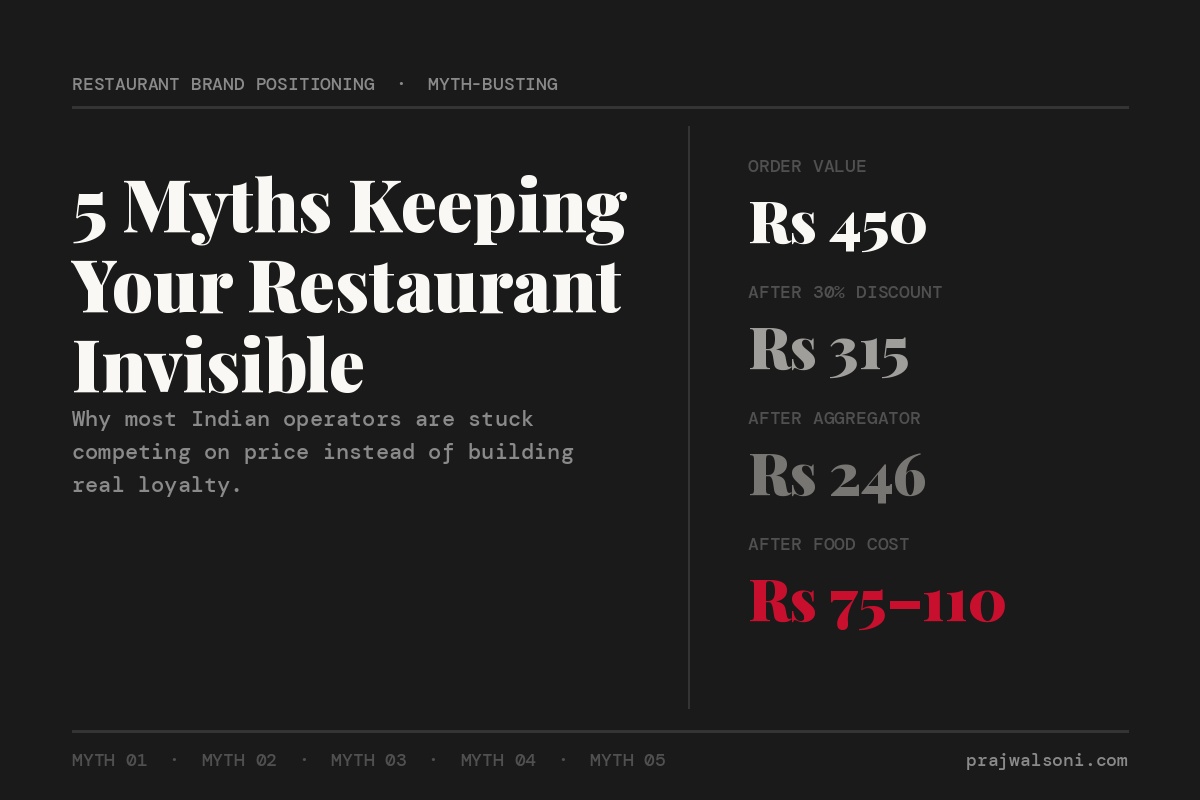
The aggregator commission structure already eats into your margins. You cannot afford to leak orders at the top of the funnel because your photos look like they were taken during a power cut.
What Actually Makes a Good Restaurant Menu Photo
Good food photography for aggregator listings comes down to three things: natural light, clean background, and proper portion visibility. You do not need a DSLR camera or a professional photographer. A phone camera made in the last four years is more than enough. The problem is almost never the camera. It is the setup.
Light Is Everything
Shoot near a window between 10am and 2pm. Natural daylight makes food look appetizing without any editing. The yellow tube lights in your kitchen will make every dish look greasy and unappetizing. If you do not have a window in the right spot, buy a basic ring light for Rs 500-800. But natural light is always better.
Never use flash. Flash creates harsh shadows and makes food look flat. One window, one table, one dish. That is the entire studio you need.
Background and Surface
Use a plain surface. A clean white plate on a dark wood table works for almost everything. Avoid cluttered backgrounds. No water bottles, no sauce packets, no other dishes half-visible at the edges. The customer’s eye should go to the food and nothing else.
Buy two or three sheets of textured paper or a wooden board from the local market for under Rs 200. These become your backgrounds for every photo you take. Consistency matters. When a customer scrolls through your menu and every photo has the same clean look, it signals professionalism.
Portion and Garnish
Plate the food the way you want the customer to imagine it arriving. Not the way it looks on a busy Friday night when your kitchen is slammed. Use a fresh garnish. A few coriander leaves on that dal makhani, a lemon wedge next to the kebab, some sesame seeds on the paneer tikka. These details take 30 seconds and change the photo completely.
Show quantity. If you serve a generous portion, make sure the photo communicates that. A half-empty bowl photographed from above looks like less food than it actually is. Fill the bowl, angle the camera at 45 degrees, and let the customer see what they are paying for.
The Swiggy and Zomato Listing Optimization Checklist for Photos
Uploading good photos is only half the job. Where and how you place them on the aggregator listing determines whether they actually improve your conversion rate. Most operators upload photos once when they onboard and never touch them again. That is a mistake.
Here is what to do, item by item.
Thumbnail photo: This is the single most important image on your listing. It appears in search results and category pages. Pick your best-selling dish, not your logo, not a collage. One beautiful hero shot of one dish. On Zomato, make sure the primary photo is appetizing at small sizes because most customers see it as a tiny square on their phone screen.
Individual item photos: Every item in your top 10 sellers must have its own photo. If you have 40 items on your menu, start with the ones that generate the most revenue. You do not need to photograph your entire menu in one day. Do five items this week, five next week. But the items that show up in your “Popular” or “Bestseller” section on Swiggy must have photos. Items without photos get skipped.
Photo dimensions: Both Swiggy and Zomato crop images to specific aspect ratios. Shoot in landscape orientation and leave some space around the edges so the crop does not cut off half the dish. Check how the photo looks after uploading. I have seen restaurants where the uploaded photo shows a clean bowl of butter chicken but the cropped version on the app shows just the rim of the plate.
Seasonal updates: If you run a special Navratri menu, a monsoon soup menu, or a summer cooler range, photograph those items separately and update the listing. A listing that looks fresh signals an active, caring operator. Swiggy and Zomato both reward active listings with better visibility. I wrote in detail about how aggregator algorithms are shifting and why listing hygiene matters more now than ever.
Zero-Budget Photo Strategy for Small Restaurants
You can build a complete menu photo library for under Rs 1,000 in materials and three hours of work. No photographer. No studio. No editing software beyond what is already on your phone. Here is the exact process I recommend to the restaurants I consult for.
Step 1: Pick a slow weekday morning. Tuesday or Wednesday before lunch prep starts. Set up a table near the best window in your restaurant or kitchen.
Step 2: Lay down your background surface. A clean wooden board or a sheet of dark paper taped to the table.
Step 3: Have your chef plate five of your top sellers, one at a time. Fresh garnish on each. Clean plate edges wiped with a cloth before shooting.
Step 4: Shoot each dish from two angles. One overhead (directly above, looking down) and one at 45 degrees. Take at least 10 photos of each dish. You will pick the best one later.
Step 5: Edit on your phone. Increase brightness slightly, boost saturation by 10-15%, and increase sharpness. Do not over-edit. The food should look like food, not like a painting. Google Photos and the default iPhone editor both handle this perfectly.
Step 6: Upload to Swiggy and Zomato. Check the crop on both platforms. Adjust if needed.
Repeat this every two weeks until your entire menu is covered. This is a zero-budget marketing approach that works. The photos you shoot for aggregator listings double as Instagram content. Two platforms covered with one photo session.
Common Photo Mistakes I See on Indian Restaurant Listings
These are the errors I spot on roughly eight out of ten restaurant listings across Ahmedabad, Surat, Pune, and Nagpur. Each one is fixable in under an hour.
Stock photos from the internet: Customers can tell. They have seen that exact butter chicken photo on fifteen other listings. It creates distrust because the delivered product never matches the stock image. Use real photos of your actual food. Imperfect but real beats polished but fake.
Photos of food in delivery containers: Your Swiggy listing photo should show food plated on a real plate or bowl, not in the foil container or plastic box it ships in. The listing is your storefront. You would not put dirty packaging in your restaurant window display. Same logic applies here.
Inconsistent styling: One photo shot in daylight, the next under yellow kitchen light, the third with a random Instagram filter. This makes your listing look disorganized. Shoot everything in one session with the same setup and the menu looks cohesive.
Logo as thumbnail: Your logo means nothing to a hungry customer at 9pm. They want to see food. Save the logo for your packaging. The thumbnail must be your single most photogenic, best-selling dish.
No photos at all: This is shockingly common. Restaurants running 50-item menus on Zomato with zero photos on any item. You are asking people to spend Rs 300-500 on something they cannot even see. That is a hard sell.
How Better Photos Connect to Everything Else
Better listing photos improve your conversion rate. Higher conversion rate means more orders from the same impressions. More orders improve your ranking in Swiggy and Zomato search results. Better ranking means more impressions. And the cycle continues. This is the flywheel that most operators never kick-start because they are focused on discounts instead of presentation.
The math is straightforward. If better photos move your conversion rate from 5% to 8%, you have just increased your order volume by 60% without spending a single rupee on ads or discounts. And unlike a 20% off campaign that trains customers to wait for the next deal, photos are a permanent improvement. Once they are up, they keep working.
This directly impacts your restaurant profit margins. More orders at full price, without discount leakage, means better unit economics on every item. And if you are running a cloud kitchen, where the customer never sees your physical space, the listing IS your entire brand. I covered this in my breakdown of cloud kitchen profitability metrics and why visual branding is not optional for delivery-only formats.
Your menu pricing strategy also interacts with photos in a way most operators miss. A dish priced at Rs 349 looks expensive next to a dark, unappetizing photo. The same dish priced at Rs 349 next to a beautiful, well-lit photo looks like a deal. Perception of value is visual.
Your Action Plan for This Week
Open your Swiggy and Zomato restaurant dashboard right now. Pull up your menu. Count how many of your top 10 selling items have proper photos. Then count how many have no photo, a stock photo, or a photo taken in bad lighting. Write that number down.
Now block 90 minutes on the next slow morning. Set up a table near a window. Plate five dishes. Shoot them. Edit them on your phone. Upload them. Do five more the following week.
Track your conversion rate on the Swiggy partner dashboard before and after the photo update. Give it two weeks of data. You will see the difference in orders, not just in how your listing looks.
Building a restaurant brand that attracts repeat customers starts with getting the basics right. Your loyalty program cannot work if customers never place the first order because your photos turned them away.
Stop guessing. Start building. Get Design Dine Dominate, the complete restaurant business playbook from someone who has actually done it.

Leave a comment